Hey guys,
We are excited to announce that we will soon be launching biweekly free Facebook Giveaways. The giveaways will be T-shirts, games, X-box, headphones, gadgets and whatnot. Participating in each giveaway is really simple. You just have to “Like” the page, “Like” the giveaway’s post when it comes out, and “Share” it on your timeline, and that’s it! 😀 Read below to dig deeper, or scroll down further to read the steps that you should follow to make sure you don’t miss any of the giveaways when they come out.
Eligibility to win a giveaway:
- You must “Like” the page. Just like the page once and you are all set with this step for all the future giveaways on that page. 😀
- You must “Like” the post and “Share” publicly on your timeline the giveaway’s post when it comes out.
- You must take the above 2 steps before the deadline of a giveaway.
Once a winner for a giveaway is chosen, he will be asked to provide a proof that he liked and shared the post before the deadline. What kind of proof is required will be revealed when the time comes (could be a screenshot, or screenshare, its yet to be decided). If the winner fails to provide the proof, or it turns out that he missed any point from the eligibility criteria, another winner will be chosen for the giveaway.
If you would like to participate in the giveaways, and wanna make sure you don’t miss them, please follow the below instructions (if you need to save time, read only the colored parts of the instructions below):
1) Goto the Facebook page where you found this web link. It could be the page as shown below, or any other page by our community. Find the list of all of our Facebook pages here (although we highly recommend you to participate in not more than 1 or 2 giveaways every 2-4 weeks, because otherwise you will be spamming your friends with our giveaways in order to participate in them 😛 ).
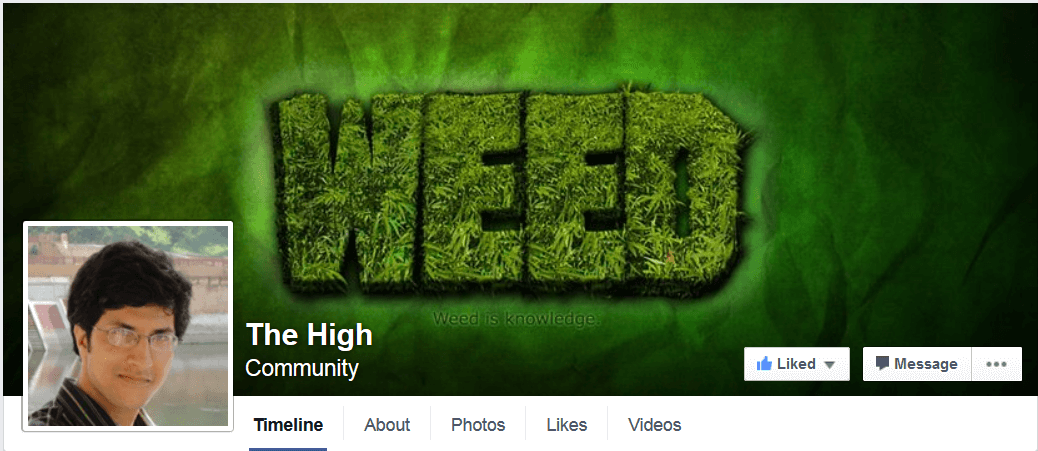
2) Like the page. This will ensure that Facebook will send the page’s posts in your News feed so that you will know every time a giveaway comes up.
3) Next, hover your mouse on the Like button (which should be checked or blue to show that you liked the page). A dropdown will pop up.
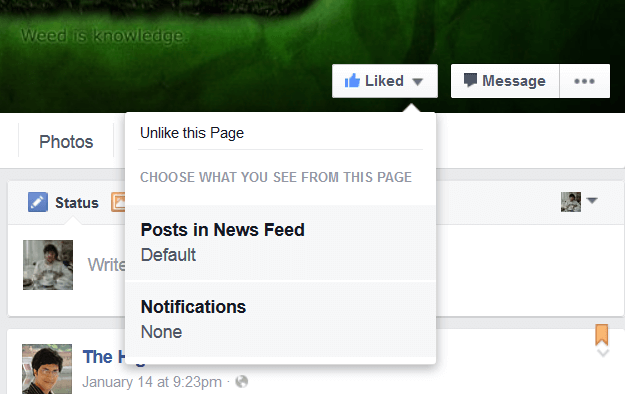
4) Click on “Posts In News Feed, Default” option in the dropdown. A box will pop up on the screen.
5) In the box, you will see the “Default” is checked. Click on “See First” option. This step is important from the point of view of Facebook’s News Feed Algorithm. Also, it will ensure that the Facebook displays all the new posts from the page in your News feed at the top when you log in (of course, the posts will go away and be replaced by other News items from different sources the next time you check the home page).
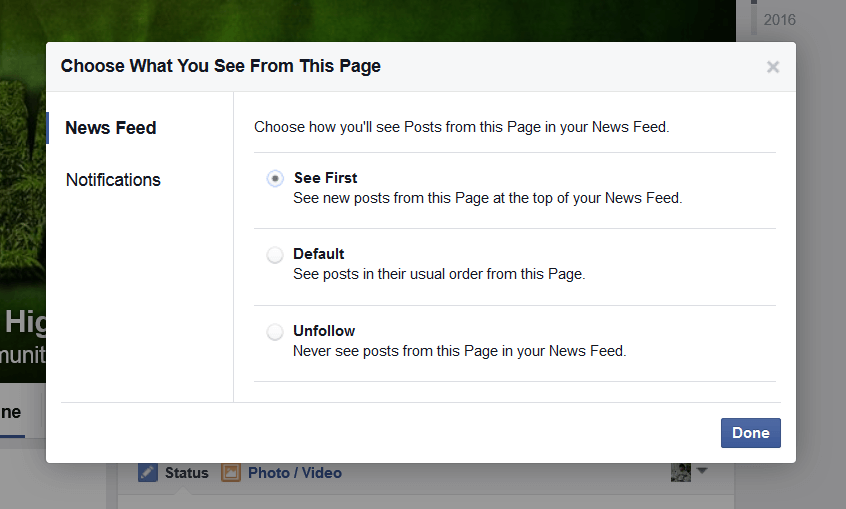
6) Step 5 should be enough to make sure you don’t miss the giveaway opportunities. However, since the Facebook’s News feed algorithm depends on how much you interact with the page to determine whether it should feed you it’s new posts in your News feed, its possible that after some time it stops giving you updates and new posts from the page. If you want to be double sure you don’t miss the opportunities, you can click the “Notifications” in the same box thats open, and check “All Posts”. This way, you will get a Notification every time there is a new post. We post a maximum of 2 times a day in each of our pages on Facebook, so you will be receiving no more than 2 notifications a day. But if thats too much (may be because you already receive a lot of notifications from other sources) then you may as well uncheck “All Posts” so that you won’t receive any notifications from our page.
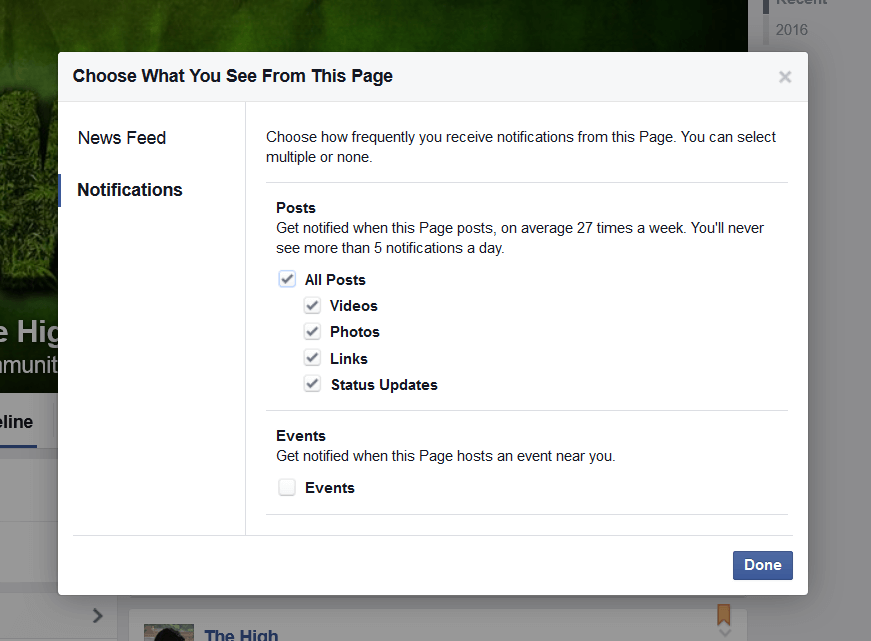
7) Finally, don’t forget to click “Done” to save these settings!
And you are all set! Hurray!!! 😀
Regards,
Allenross356